
Speed Galaxy Keyboard Escape Medal Quest Guide
Install Medal, post a clip, claim Medal Aura. The best free permanent multiplier in the game.
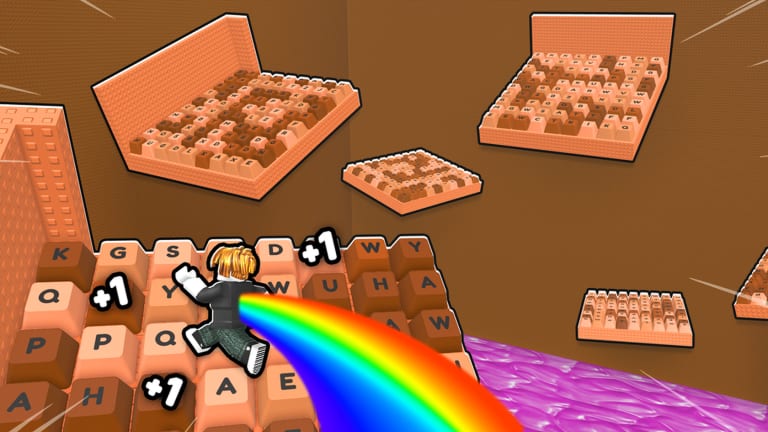
The Medal Quest gives you a free permanent x2–x3 Speed multiplier in Speed Galaxy Keyboard Escape. No Robux. No Wins grind. No rebirth required. If you have not done it yet, you are leaving Speed on the table.
This guide walks through every step, from installing Medal to equipping the Aura in your Inventory.
What Medal Aura does
Medal Aura is a permanent Speed multiplier. It does not reset on rebirth, does not expire, and does not compete with Trails or Auras you buy — it simply stacks with them. Depending on current Medal.tv promotion schedules the multiplier lands at x2 or x3.
x2–x3 sounds modest, but it is permanently yours the moment you claim it. Compare that to Fire Aura which requires 25 million Wins for x3. Medal is free and you get it on day one.
Why the community recommends it in every guide
Every rebirth, every treadmill, every trail you equip — Medal multiplies all of it. A player at Rebirth 5 with no other multipliers gets roughly x3.5 per tick from rebirth alone. Add Medal and that becomes x7–x10.5. The Aura is not optional; it is the first permanent multiplier every guide tells you to grab.
Prerequisites
Before you start, make sure you have:
- A Medal.tv account (free to create)
- Your Roblox account linked to Medal under Connected Accounts
- A device capable of recording 15 continuous seconds of gameplay
Medal works on PC and mobile. The in-game capture on mobile counts; on PC you can use F8 or Medal is own recording overlay.
Step 1 — Install Medal and connect your Roblox account
Go to medal.tv and download the Medal app for your platform. Create a free account, then:
- Click your profile picture → Settings → Connected Accounts.
- Find Roblox in the list and link it.
- Confirm the OAuth popup with your Roblox credentials.
Without this link, your clip will not verify against your Roblox account and the Aura will not trigger.
Step 2 — Record 15 seconds in-game
Launch Speed Galaxy Keyboard Escape. Play until you are on a treadmill or farm pad — anywhere with visible Speed ticks stacking up. Press F8 on PC to start Medal recording (or the in-experience capture button on mobile). Record exactly 15 seconds of uninterrupted gameplay. Do not pause, open the menu, or tab out.
Step 3 — Post publicly with the correct game tag
When the clip ends, Medal opens its share dialog. You must:
- Post the clip as Public (private clips do not verify)
- Tag it with +1 Speed Keyboard Escape in the caption or tags field
The game tag is how Medal matches your clip to the correct Roblox place. Missing or misspelling it is the most common reason verification fails.
Step 4 — Wait for verification
Medal verifies clips against the game tag and your connected Roblox account. This usually takes a few hours, occasionally the same business day. You will receive a notification in Medal when it processes. If it has been more than 24 hours, check that your clip is still Public and that the tag is correct.
Step 5 — Claim in-game
Once Medal confirms verification:
- Open Roblox and go to Speed Galaxy Keyboard Escape.
- Open your Inventory → Auras.
- Find Medal Aura and click Equip.
The Aura immediately begins multiplying your Speed ticks. It survives every rebirth.
Troubleshooting
Clip does not appear in Medal dashboard? Make sure the recording captured at least 15 seconds without interruption. Short clips or clips with heavy menu overlay do not qualify.
Account linking shows an error? Try unlinking and relinking Roblox in Medal Settings. Make sure you are logged into the correct Roblox account on the browser during OAuth.
Clip was posted but no Aura in-game?
Confirm the clip is Public, the tag is exact (+1 Speed Keyboard Escape), and the linked Roblox account matches the one you play on. Aura rewards apply to the linked account only.
FAQ
Does Medal Aura stack with Trails and Auras I already own? Yes. Medal is a separate multiplier slot. It multiplies the final Speed output after Trails, Auras, Treadmills, and rebirth bonus are all calculated.
Can I do the Medal Quest on a secondary Roblox account? Yes, but each Roblox account needs its own linked Medal.tv account and its own posted clip.
Does Medal Aura go away if I stop using Medal? No. Once claimed, Medal Aura is permanent and stays regardless of Medal app activity.
Is the x2 or x3 multiplier fixed? Medal.tv runs promotional campaigns that determine the current multiplier. Check the in-game Aura tooltip or the official game group for the active rate. Both x2 and x3 are valuable — do not wait for a specific tier.
Frequently Asked Questions
Quick answers to the most common Speed Galaxy Keyboard Escape questions.
Does Medal Aura reset when I Rebirth in Speed Galaxy Keyboard Escape?
No. Medal Aura is permanent and survives every rebirth, along with Trails and owned Treadmills. Only your current Speed and level reset.
Can I get Medal Aura on mobile without installing Medal on a PC?
Yes. Medal has a mobile app. Record 15 seconds using the in-experience capture feature, post publicly with the correct game tag, and the same verification process applies.
What happens if my clip is set to private after posting?
Medal requires Public clips for verification. If you set your clip to private after posting, the Aura will not trigger. Keep it Public until verification is confirmed.
Is the Medal Quest one-time or do I need to repeat it each season?
The Medal Quest is a one-time reward per Roblox account. Once you claim Medal Aura, it is yours permanently. Medal.tv may run new campaigns for different rewards, but the Aura itself does not expire or need renewing.